Getting Started
Getting Started
Install the AuditFlow Pro Excel add-in and run your first engagement in under 15 minutes.
Welcome to AuditFlow Pro. This guide will get you from zero to your first engagement.
Install the add-in
- 1
Download the manifest
Visit the Download page and grab
manifest.xml. - 2
Sideload in Excel
In Excel, go to Insert → Office Add-ins → Manage My Add-ins → Upload My Add-in and select the file.
- 3
Open the taskpane
Click Open AuditFlow on the new ribbon group. Sign in with your firm email.
Sign in or use without an account
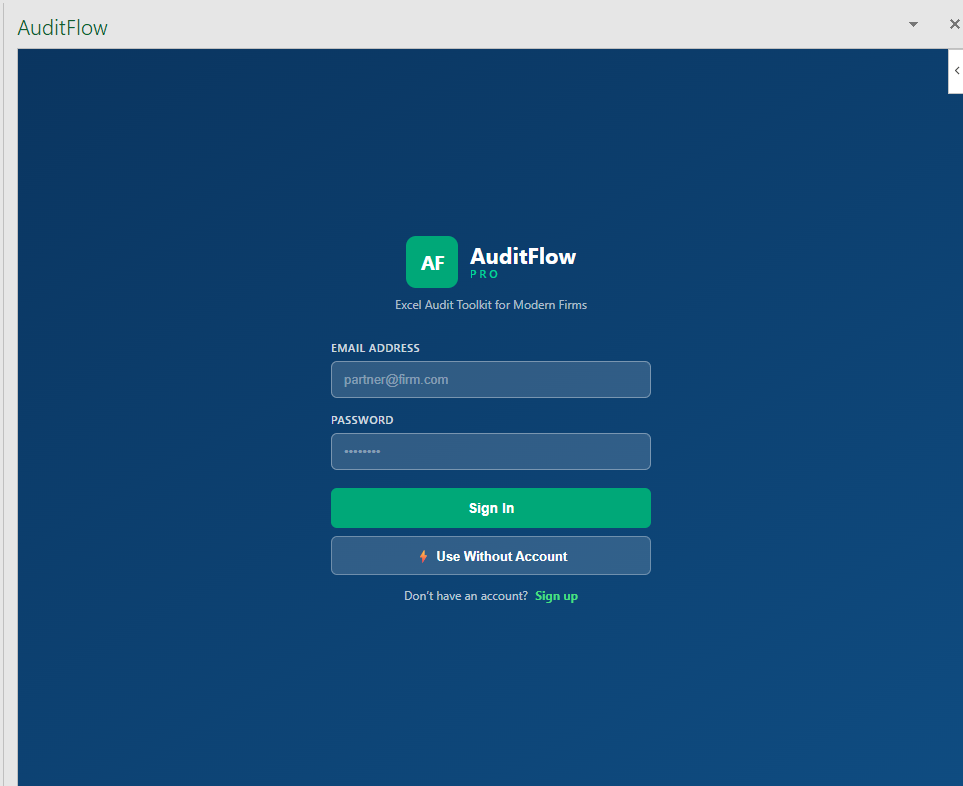
After the taskpane opens you will see the sign-in screen. Sign in with your firm email, or click Use Without Account to try the Free tier first — you can register later from Settings.
Create your first engagement
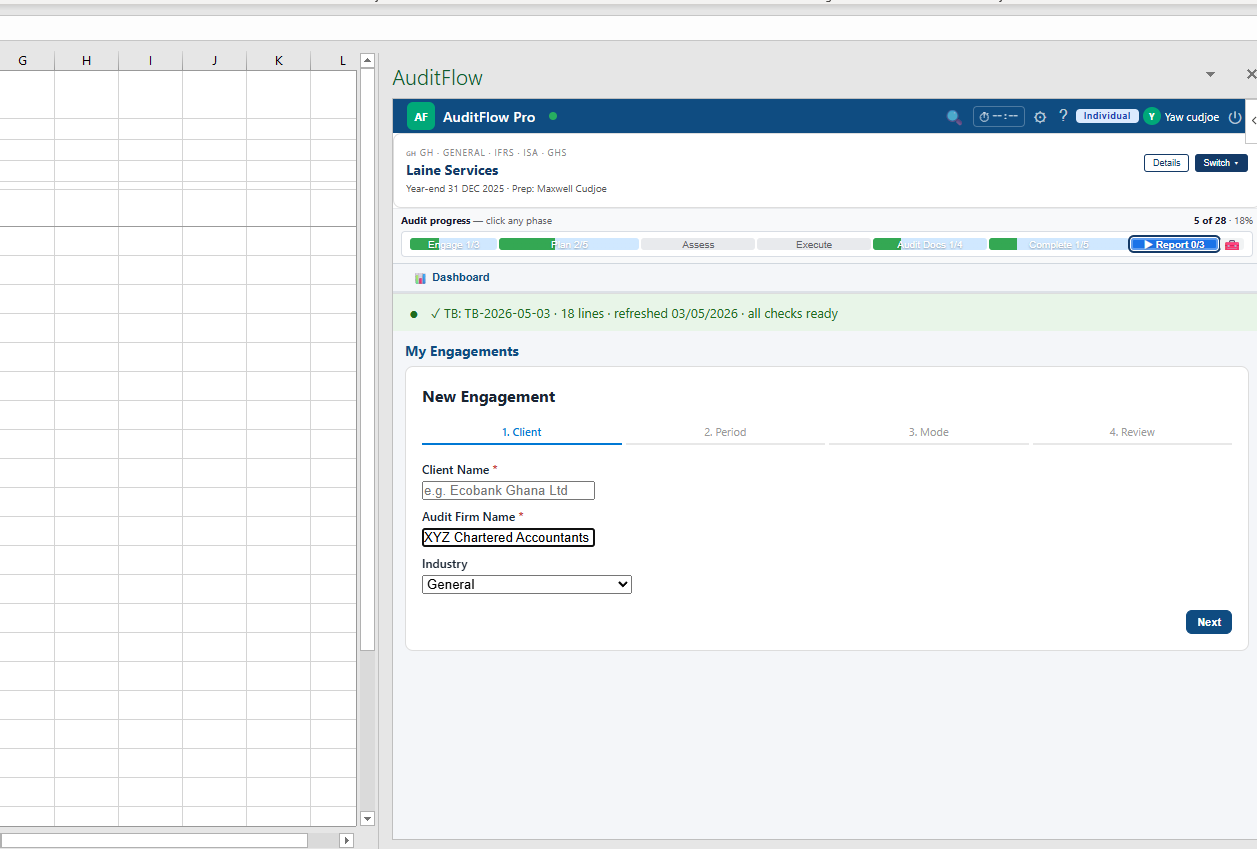
The wizard runs in four steps:
- Client — name, audit firm, industry
- Period — year-end date and comparative period
- Mode — full audit, review, or compilation
- Review — confirm and create
Import the trial balance
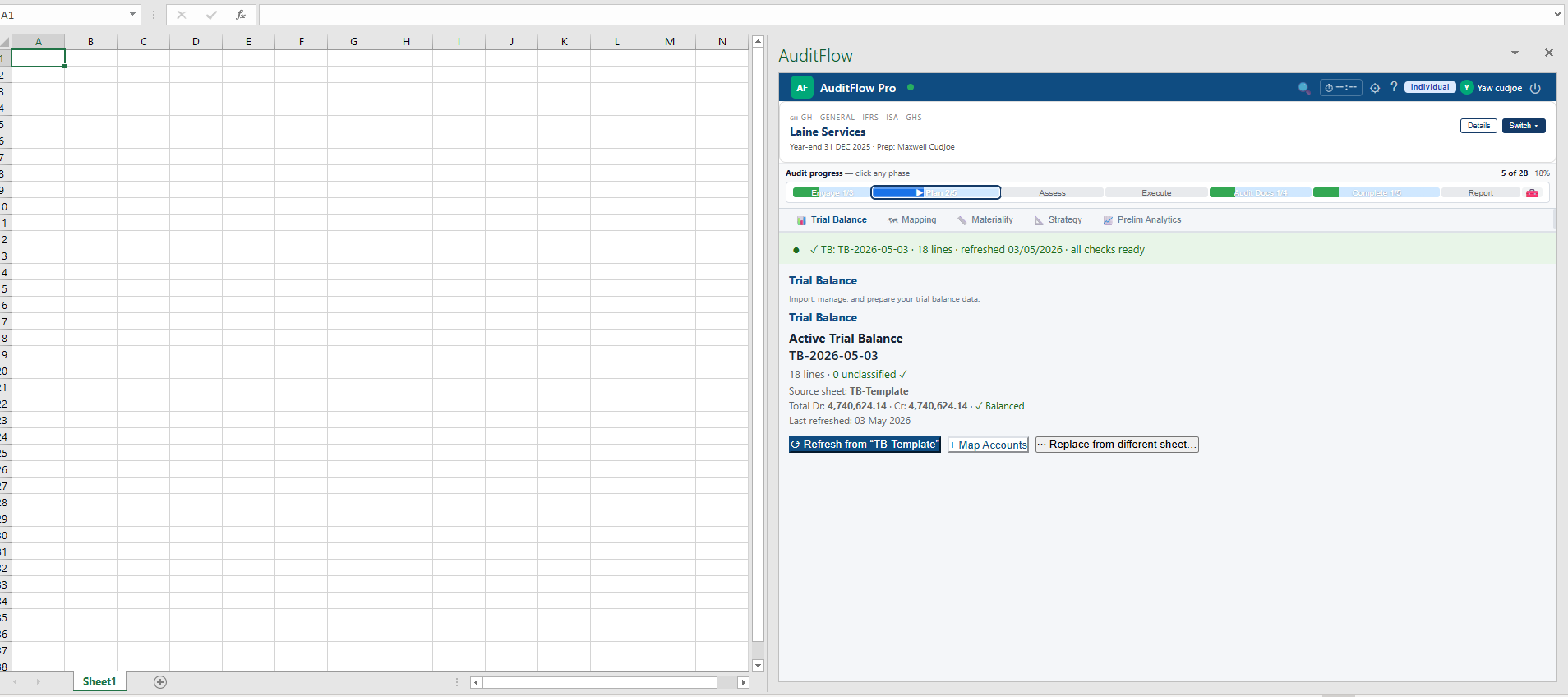
Open the Trial Balance tab in the taskpane and click Import TB. Paste your trial balance or upload a sheet — AuditFlow detects headers automatically and confirms the file is balanced before saving.
Pick your audit areas
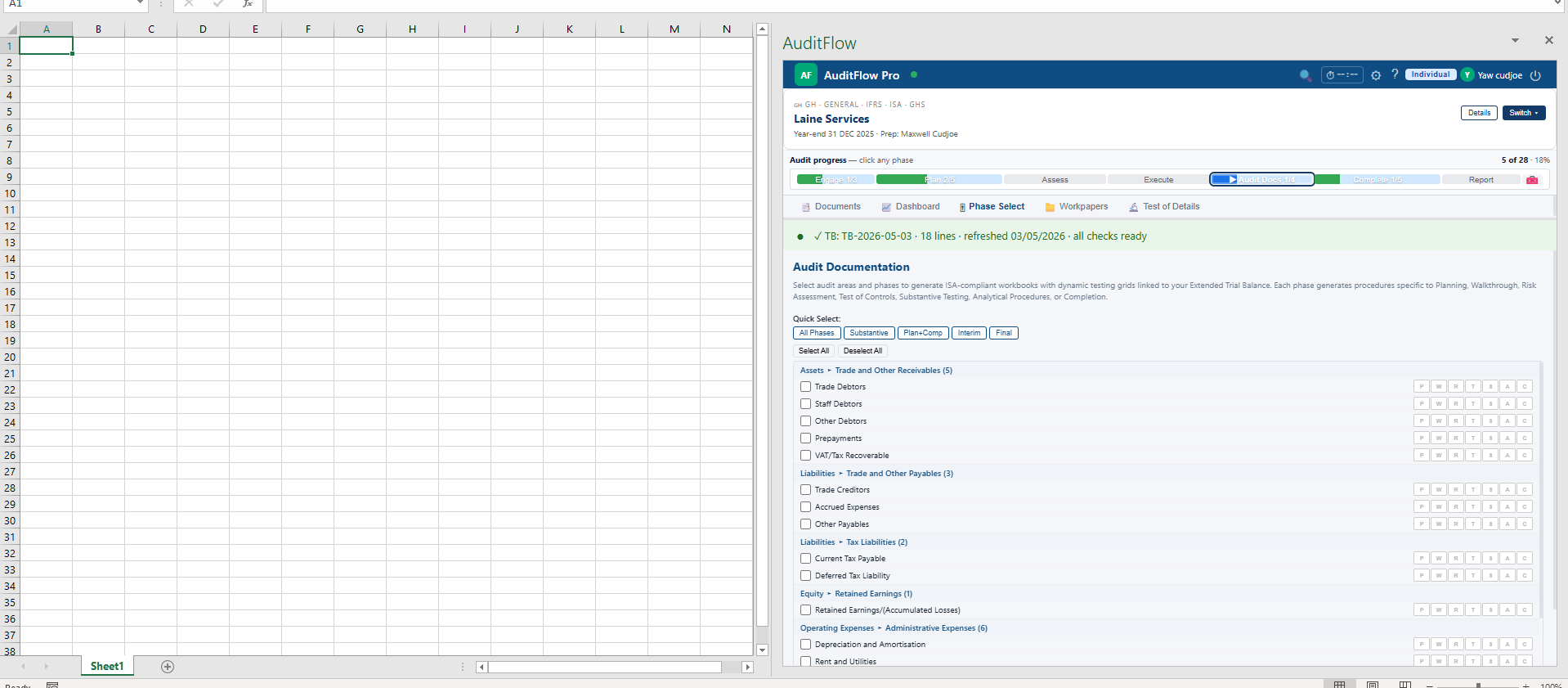
From the Audit Docs phase, choose which areas to test. AuditFlow generates ISA-compliant workbooks with dynamic testing grids linked to your Extended Trial Balance.
Next steps
- Read the User Guide → TOD to run substantive testing.
- Open Country Compliance → BoG if your client is a Ghanaian bank, or pick the regulator that matches your jurisdiction.
- Browse the Industry Packs reference to see what each pack changes on your engagement.